How to Write Catchy YouTube Video Titles That Get More Clicks?
how to write catchy YouTube video titles with practical examples, keyword tips, title formulas, and ways to test what works for your audience.
The earlier article included three tool links, but I didn’t make them bold and blue or add relevant links to your other articles. I’ve corrected that below. The keyword suggestion tool remains unlinked because I couldn’t verify a working page for it.
A viewer scrolling through YouTube has a simple question: “Is this video for me?” Your title should answer it quickly-and give them a reason to watch.
Learning how to write catchy YouTube video titles is not about finding a magic phrase. It is about understanding your audience, describing the video accurately, and presenting its most interesting benefit in a way people can recognize at a glance. This guide walks through the process, from keyword research to testing, with examples you can adapt to your own channel.
Why Are YouTube Video Titles Important?
A title is often one of the first things a potential viewer sees, alongside the thumbnail. Together, they tell viewers what the video covers and help them decide whether it is worth their time. A clear title also sets expectations: someone who clicks on a beginner tutorial should find a beginner tutorial, not an advanced product review.
Titles provide context for YouTube’s discovery systems, too. According to YouTube’s search guidance, search considers how well a video’s title, description, and content match a viewer’s query, as well as engagement for that search. Recommendations work differently and consider viewer behavior and relevance.
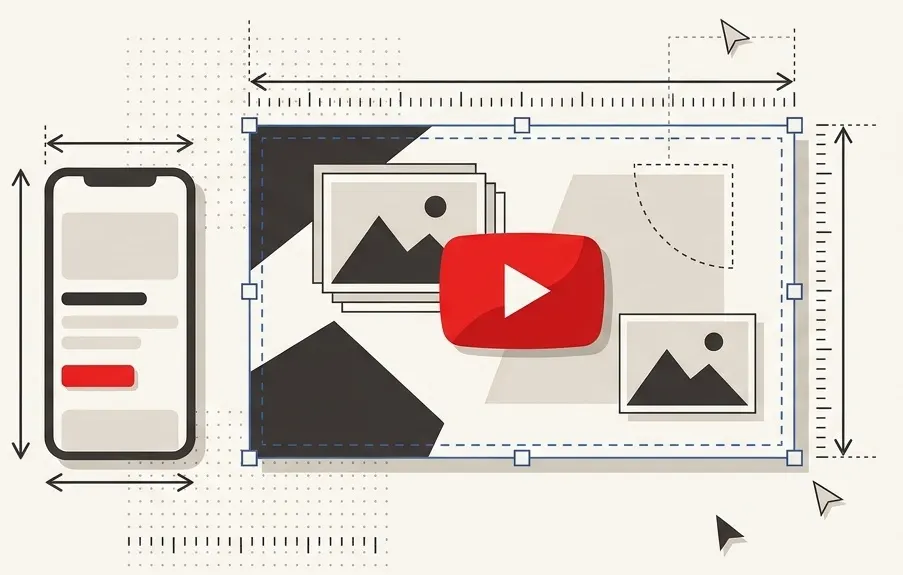
That does not mean a keyword alone will make a video rank. The title is one part of the experience; the thumbnail, topic, video content, and audience response matter as well. For a closer look at the visual side, read our YouTube thumbnail size and design guide.
How to Write a Catchy YouTube Video Title
Start with the video you actually made, not a headline you hope will attract everyone. Use this process to turn a broad topic into a title with a clear promise.
1. Define the viewer and the outcome
Write one sentence describing who the video is for and what they will learn, see, or experience. For example: “New gardeners will learn how to grow basil in a small indoor space.” That sentence gives you a topic, an audience, and a useful angle.
Weak: “My Gardening Video”
Improved: “How to Grow Basil Indoors for Beginners”
2. Identify the most useful detail
What makes your video different from a general overview? It might use inexpensive equipment, address a common mistake, or compare two methods. Include that detail when it helps the right viewer choose your video.
Weak: “Camera Tips”
Improved: “How to Get Sharper Indoor Photos Without a Flash”
3. Choose a phrase your audience understands
Use the words viewers are likely to use for the subject. A tutorial on fixing a dripping faucet should say “leaky faucet” or another familiar term, rather than relying only on technical plumbing language. Research can help you find useful wording, but the phrase must fit the video.
4. Draft several angles
Write at least three versions: one straightforward, one focused on the benefit, and one framed as a question or specific problem. For a video about packing light, you might try:
- “How to Pack a Carry-On for a 3-Day Trip”
- “Pack Lighter: My Carry-On List for a 3-Day Trip”
- “Can You Pack for 3 Days in One Carry-On?”
These are different promises. The question version works only if the video actually explores that question; the list version should include the promised list.
5. Edit for clarity and accuracy
Remove words that do not help someone understand or choose the video. Read the title next to the thumbnail: do they complement each other, or repeat the same information? Finally, check whether the opening of the video delivers on the expectation the title creates.
How to Find the Right Keywords for YouTube Titles
The right keyword describes your actual video in language your intended audience recognizes. Begin with the topic, then look for the more specific problem, audience, or format your video serves.
- Explore YouTube search suggestions. Type a broad phrase such as “indoor herb garden” into YouTube’s search box and note relevant completions. Suggestions are ideas to investigate, not proof of search volume or a guarantee of demand.
- Listen to audience questions. Review comments, questions from customers, and conversations in your niche. If people keep asking why their basil leaves turn yellow, that may suggest a useful video and a precise title.
- Study competing videos. Search your topic and examine how existing titles frame it. Look at the audience and promise, then find an angle your own video genuinely covers. Do not copy a title simply because another video performed well.
- Use keyword research tools. Use suggestions to expand your list, then evaluate whether each phrase matches your content. Treat estimated search volumes and competition scores as estimates, and check what a tool measures before comparing its numbers.
Choose one primary phrase for the video’s central topic. Keep related phrases for your research or description when they add useful context; they do not all need to fit into the title. For a deeper walkthrough, see how to find the best YouTube keywords for your videos.
Best YouTube Title Formulas You Can Use
A formula is a starting point, not a substitute for a real idea. Choose the structure that fits the video and fill it with details you can support.
How-to titles
Formula: How to [achieve a specific result].
Example: “How to Organize Digital Photos by Year and Event”
This format makes the viewer’s intended outcome clear. Add a tool or constraint only when it matters to the process.
List-based titles
Formula: [Number] [useful ideas or mistakes] for [audience or goal].
Example: “7 Desk Stretches for a Midday Break”
Use the number you actually cover, and make each item worth including.
Question-based titles
Formula: Can, should, or why does [specific question]?
Example: “Can You Grow Lettuce on a Shady Balcony?”
This works when the question reflects the viewer’s uncertainty and the video offers a meaningful answer.
Tutorial titles
Formula: [Tool or task] tutorial: [specific result].
Example: “Spreadsheet Tutorial: Build a Simple Monthly Budget”
A tutorial title signals a practical walkthrough rather than a general discussion.
Problem-and-solution titles
Formula: [Problem]? Here is how to [address it].
Example: “Blurry Webcam? Adjust These Three Settings”
Name the problem precisely, and avoid claiming a fix will work for every viewer.
Comparison titles
Formula: [Option A] vs. [Option B]: Which is better for [use case]?
Example: “French Press vs. Pour-Over: Which Fits Your Morning?”
Make sure the video evaluates both options against criteria relevant to the audience.
Beginner-friendly titles
Formula: [Topic] for beginners: [first useful step].
Example: “Watercolor for Beginners: Paint Your First Simple Landscape”
Use “for beginners” only when the pace, explanations, and prerequisites genuinely suit them.
How Long Should a YouTube Video Title Be?
YouTube allows video titles of up to 100 characters, according to its video settings documentation. That is a maximum, not a target. A title should be long enough to make its subject and appeal clear, but not so long that essential information is buried.
Titles can be shortened in different places on YouTube, especially on smaller screens. The visible portion can vary by device and layout, so there is no universal cutoff to rely on. Put the topic and most useful distinguishing detail early, then move episode numbers or channel branding toward the end if you need them.
For example, “How to Repair a Bike Chain | Weekend Workshop Episode 12” communicates the subject sooner than “Weekend Workshop Episode 12: Today We Repair a Bike Chain.” Preview your title on mobile where practical, but do not assume a particular character count guarantees more clicks or better rankings.
How to Use Keywords in YouTube Titles Without Keyword Stuffing
A primary keyword is the main phrase that describes the video’s subject. If your video demonstrates a basic cold brew recipe, “cold brew coffee” may be a useful primary phrase. Place it where it reads naturally:
Natural: “Cold Brew Coffee at Home: A Simple Overnight Recipe”
Stuffed: “Cold Brew Coffee Cold Brew Recipe Best Cold Brew Coffee”
The first version tells a person what they will learn. The second repeats terms without adding meaning. For SEO-friendly YouTube titles, prioritize the viewer’s intent: someone searching for a recipe probably wants ingredients and steps, while someone looking for a comparison may want to understand differences between products.
The title does not have to begin with the exact keyword. “Make Cold Brew Coffee at Home Without Special Equipment” can be clear and relevant even though the topic follows the first word. Avoid adding a popular phrase that attracts the wrong audience or describes content you did not make.
If you also want to reach people searching outside YouTube, explore our guide on how to rank YouTube videos on Google. Google Search and YouTube Search are different discovery channels, so results on one do not guarantee results on the other.
How to Make YouTube Titles More Attractive and Compelling
Catchy YouTube titles offer a reason to care without making the viewer guess what the video is about. Try these techniques selectively:
- Create honest curiosity. “I Tried Three Ways to Remove Coffee Stains” invites viewers to discover the results. It should show the methods and what happened.
- State a specific benefit. “Set Up a Home Wi-Fi Guest Network” is more useful than “Improve Your Internet.”
- Use meaningful numbers. “5 Beginner Guitar Chords for Your First Song” sets a clear scope if the lesson includes five chords.
- Connect with a real feeling. Words such as “simple,” “frustrating,” or “surprising” can reflect the experience, but they should not exaggerate it.
- Signal relevance. A detail like “for small kitchens” or “without a sewing machine” helps the right audience identify the video.
Curiosity becomes misleading clickbait when the title promises something the video does not deliver. A title implying a dramatic product failure, for example, is misleading if the review shows no such failure. YouTube’s spam policy prohibits misleading metadata and malicious clickbait; its title guidance also recommends accurate titles. The goal is an appealing promise that the video earns.
YouTube Title Examples: Before and After
The following YouTube title ideas are illustrative. Each improved title assumes the video actually delivers the stated content.
- Technology: “Laptop Review” → “Budget Laptop Review: Can It Handle Photo Editing?” The revision gives viewers a use case and a question the review should answer.
- Education: “Math Lesson” → “How to Solve Two-Step Equations: 3 Worked Examples.” The topic and examples tell students what to expect.
- Gaming: “My New Game” → “Minecraft Survival: My First Night With No Shelter.” The game, mode, and challenge make the episode easier to recognize.
- Cooking: “Dinner Ideas” → “One-Pan Chickpea Dinner With Tomatoes and Spinach.” Specific ingredients and the one-pan format make the benefit concrete.
- Fitness: “Workout Time” → “15-Minute Beginner Mobility Routine for Stiff Hips.” The duration, level, and focus help viewers judge whether it suits them.
- Travel: “Our Trip to Lisbon” → “A First-Timer’s Day in Lisbon: Trams, Food, and Views.” The revision gives a clearer sense of the itinerary and intended audience.
- Software tutorial: “Spreadsheet Tricks” → “How to Create a Drop-Down List in Google Sheets.” A named task is easier for a searching viewer to identify.
- DIY: “Fix This Problem” → “How to Replace a Loose Cabinet Hinge.” The improved title identifies the object and repair rather than relying on mystery.
- Photography: “Better Photos Fast” → “Portrait Photography: Find Soft Window Light at Home.” The revision offers a specific technique instead of a vague promise.
Notice that none of these needs exaggerated language. The strongest detail is often the task, constraint, or experience the video already contains.
Common YouTube Title Mistakes to Avoid
- Being vague: “You Need to See This” gives unfamiliar viewers little reason to choose your video.
- Using excessive capitalization: A word in caps may occasionally add emphasis, but an entire title in capitals can be harder to scan and feel unnecessarily loud.
- Making misleading promises: Do not claim a guaranteed result, a dramatic reveal, or a feature your video does not demonstrate.
- Stuffing keywords: Repeating near-identical phrases consumes space without clearly helping the viewer.
- Overusing punctuation: Multiple exclamation points or question marks rarely explain the video better than specific wording.
- Repeating yourself: “Beginner Basics for New Beginners” can usually become “For Beginners.”
- Ignoring the video: A title can be grammatically strong and still fail if the actual content targets a different audience or answers a different question.
As a final check, ask someone unfamiliar with the upload what they expect to see. If their answer is substantially different from the video, revise the title or thumbnail before publishing.
How to Test and Improve Your YouTube Video Titles
After publishing, use YouTube Analytics to investigate how viewers encounter and respond to the video. Start in YouTube Studio, open the video’s analytics, and review its reach and engagement alongside the traffic sources bringing viewers to it.
Impressions indicate how often YouTube registered eligible displays of the video’s thumbnail. Impressions click-through rate (CTR) describes how often those registered impressions led viewers to watch. Not every view comes from a counted impression, so dividing total views by impressions may not reproduce the reported CTR. YouTube explains the distinctions in its impressions and CTR FAQ.
Give the video enough impressions to make the comparison meaningful. CTR varies with traffic source, audience, topic, and context: a video shown to a broad Home audience may behave differently from one found through a specific search. Compare similar videos and traffic sources over time rather than treating one number as a universal benchmark.
Also examine watch time, audience retention, and whether the video fulfills the title’s promise. A high CTR paired with viewers leaving early may suggest that the packaging attracted an audience whose expectations the video did not meet. It is a signal to investigate, not proof that the title alone caused the problem.
If your channel has access to YouTube’s A/B testing for titles and thumbnails, you can compare eligible variations in YouTube Studio on desktop. A title-only test helps isolate the title; YouTube selects a winner based on watch time. If the feature is unavailable, you can change a title and observe the results, but before-and-after comparisons are less conclusive because audiences, traffic sources, and other conditions may change.
How to Generate YouTube Titles Using Free Tools
When you are stuck, a YouTube title generator can provide starting points to react to. Try the YTLargeTools YouTube Title Generator with a concise topic or keyword, then review the suggestions for angles that fit your video.
Do not publish a suggestion automatically. Rewrite it in your own voice, check every claim against the video, and avoid copying another creator’s distinctive title. A generator cannot determine whether a promise is accurate for your footage, and it cannot guarantee views or rankings.
Once you have chosen a title, the YouTube Description Generator can help you prepare a description draft. Review it and add accurate details such as relevant links or timestamps. The YouTube Tag Generator can suggest terms for the separate tags field; keep only terms that apply to your video.
These elements have different jobs. The title is the video’s visible headline; the description supplies additional information below the video; tags are metadata entered in YouTube Studio; and hashtags are visible labels beginning with “#.” YouTube says tags can help with commonly misspelled content but otherwise play a minimal role in discovery. They are not a substitute for a clear title or useful video. Learn more in our guide to whether YouTube tags still matter for SEO.
Frequently Asked Questions About YouTube Video Titles
1. What makes a good YouTube video title?
A good title accurately describes the video, speaks to the intended audience, and offers a clear reason to watch. Specificity and a recognizable topic usually help more than exaggerated claims.
2. How many characters should a YouTube title have?
YouTube’s limit is 100 characters. Use only as many as you need, and place important information early because the displayed title may be shortened.
3. Do keywords in YouTube titles help SEO?
Relevant keywords can help clarify how a title matches a viewer’s search. They are only one part of discovery, and repeating them does not guarantee a ranking.
4. Should I put my main keyword at the beginning of a title?
Put it near the beginning when that makes the title clearer or protects important context from being cut off. Do not force it into the first position if the result sounds unnatural.
5. Can I change my YouTube video title after publishing?
Yes. In YouTube Studio, select Content, open the video, edit its title, and select Save. Changing a title is not an automatic ranking boost; its effect depends on how viewers respond and other circumstances.
6. Do catchy titles increase YouTube views?
They can encourage more relevant viewers to choose a video, but an attractive title does not guarantee more views. Reach, thumbnail, topic, audience interest, and the video itself all affect the outcome.
7. Should I use numbers in YouTube titles?
Use a number when it makes the format or scope clearer, such as the number of tips or the length of a routine. Make sure the number is accurate and useful.
8. What is the difference between a catchy title and clickbait?
A catchy title makes a truthful video appealing. Misleading clickbait creates an expectation the video does not fulfill, such as promising a result or event that never appears.
Conclusion
The best YouTube titles make a clear, accurate promise to a specific audience. Start with the outcome your video delivers, research the language viewers use, and choose an angle that highlights a real benefit or question. Keep the wording readable, put important context early, and make sure the title and thumbnail work together.
Use tools to brainstorm, not to replace your judgment. Then review your analytics in context and test thoughtful alternatives when appropriate. Over time, these YouTube video title tips can help you make better decisions about how to present each video-without sacrificing the trust of the people who click.

Ahassan
CEO / Co-Founder
Hello, I'm A Hassan, the owner of YTLargeTools. I created YTLargeTools with a simple goal: to make useful online tools accessible to everyone. I believe everyday tasks should be simple, convenient and easy to complete without unnecessary complications.
Recent Posts